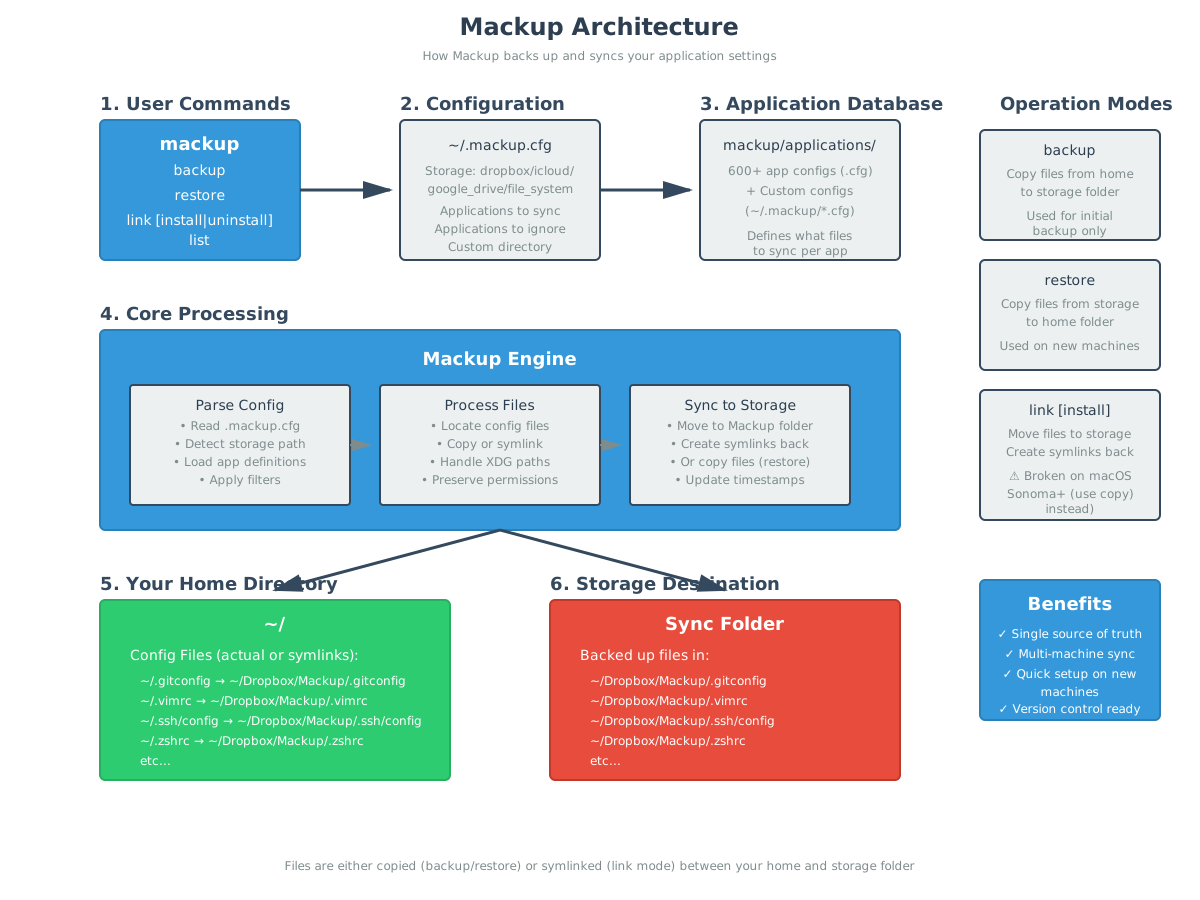
My understanding is that mackup (or home-manager for that matter) are quite .. destructive and global in that they write to files in you user home.
I think neither quality is what we are looking for with Flox, where we try to provide lightweight virtual envs that dont cause lasting changes globally.
I think for a usecase like you describe .. sharing vim or ssh configs (disregarding the former feeling rather personal and the latter risky to share around at all) could be solved with a mix of variables in the env and optionally packages to disconnect things a bit:
I.e. you could create a package that contains the desired files:
# manifest.toml

[build.files]
description = "Ship files"
version = "0.0.1"
command = """
  mkdir -p $out/.config
  cp -r ./ssh $out/.config
  cp -r ./vim $out/.config
  # ...
"""
publish this (in this case to <owner>/files) using flox publish
And then use this in a different environment
# manifest.toml
[install]
files = <owner>/files # renders the config files we stored earlier to $FLOX_ENV/

[hooks]
on-activate = '''
    # likely not literal, but i hope you get the idea
    export SSH_CONFIG=$FLOX_ENV/.config/ssh
    export VIM_CONFIG=$FLOX_ENV/.config/ssh
'''
As long as you keep the managing env private you can reproduce the config files anywhere you have access to the package (Note: files remain visible through /nix/store to other users on the system**)**
If you are intent to do home management, its possible to involve flox in that too by mixing in mackup as the implementor of the linking logic:
Again start with a package. this time we configure mackup to back files up into a directory that is subsequently being packaged up and can be restored from in another environment:
# manifest.toml

[build.mackup]
description = "Backup with mackup"
version = "0.0.1"
command = """
  mkdir -p $out/share/mackup
  mkdir -p $out/bin

  # create a temp config dir (in $HOME/ to make mackup happy)
  config_dir=$(mktemp --tmpdir=$HOME -d)

  # define a mackup config
  # in which we set the backup dir to something $out based

  cat << EOF > $config_dir/mackup.cfg
  [storage]
  engine = file_system
  path = $out/share/mackup
  directory = Backup

  [applications_to_sync]
  Alt-Tab
  EOF

  # Backup using Mackup
  MACKUP_CONFIG=$config_dir/mackup.cfg mackup backup --force

  # keep the config dir around (i guess you need that for restoring)
  mv $config_dir $out/share/mackup/config

  # provide a wrapper for convenience of the "other" machine
  cat << EOF > $out/bin/mackup-bundled
  #!/bin/bash
  config_dir=$(mktemp --tmpdir=$HOME -d)
  cp $out/share/mackup/config/* $config_dir
  MACKUP_CONFIG=$config_dir/mackup.cfg mackup "$@"
  EOF

  chmod +x $out/bin/mackup-bundled
"""
Other environments can then install <owner>/mackup and run mackup-bundled restore (assumably being not very familiar with mackup).
Disclaimer:
I dont necessarily recommend either in the sense that this is an official solution – more trying to help you with your usecase and show what would be possible with Flox today.
Considering that there might be a disconnect in what we think of the scope of flox vs the scope of mackup (local, lightweight, unintrusive, cooperative vs global, backup/restore, single user-ish) I’d be curious about your intended workflow (and whether that changed reading through this).